Installation Guide

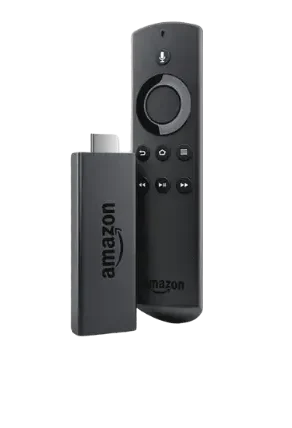
Firestick | Fire Box

Follow our step-by-step guide to set up IPTV on your Amazon Fire device. Get access to thousands of channels in minutes!

IPTV Canada Setup
5 min
Setup Time
10,000+
Live Channels
All
Fire Devices

Setup Instructions

Steps to Enable Apps from Unknown Sources:

  1. Turn on your Firestick and navigate to the Settings menu.
  2. Select My Fire TV or Device (depending on your Firestick version).
  3. Click Developer Options.
  4. Toggle on Apps from Unknown Sources.
  5. Confirm the action when prompted.

If Developer Options Is Visible:

  1. Turn on your Firestick and navigate to the Settings menu.
  2. Select My Fire TV or Device (depending on your Firestick version).
  3. Click Developer Options.
  4. Toggle on Apps from Unknown Sources.
  5. Confirm the action when prompted.

If Developer Options Is Not Visible:

  1. Turn on your Firestick and navigate to the Settings menu.
  2. Go to My Fire TV.
  3. Scroll down and select About.
  4. Highlight the Fire TV Stick or Device Name option.
  5. Press the Select button on your remote seven times.
    • A notification will appear stating, "You are now a developer."
  6. Return to the Settings menu, and the Developer Options will now be visible.
  7. Follow the steps under "If Developer Options Is Visible" to enable Apps from Unknown Sources.

The Downloader app is essential for downloading third-party APK files.

Steps to Install Downloader:

  1. Go to the Firestick Home Screen and select the search icon.
  2. Type Downloader in the search bar and select the app from the results.
  3. Click Download or Get to install the app.
  4. Once installed, open the app and grant necessary permissions.

Steps to Download IPTV Smarters Pro:

  1. Open the Downloader app on your Firestick.
  2. In the URL field, type the following URL:
    https://bit.ly/roveiptvsmarters
  3. Press Go to start downloading the APK file.
  4. Once the download is complete, click Install.
  5. After installation, click Open to launch IPTV Smarters Pro.

Configuring IPTV Smarters Pro:

  1. Open IPTV Smarters Pro and select Xtream Codes API.
  2. Enter the login credentials provided by your IPTV service provider:
    • Server URL
    • Username
    • Password
  3. Click Add User to complete the setup.
  4. Start enjoying your IPTV channels!

Common Issues and Solutions:

Download Failed Error

Make sure you've typed the URL correctly without any extra spaces or characters.

Installation Blocked

Verify that "Apps from Unknown Sources" is enabled in Developer Options.

App Won't Open

Try restarting your Firestick and launching the app again.

Login Issues

Double-check your credentials with your IPTV service provider.

Need Help With Setup?

Our support team is available 24/7 to assist you with the installation process.

Contact Support on WhatsApp
0